Web · SEO · Bitrix · UX · Migration
TorgMag online store modernization
Since 2016 — SEO after a failed previous studio. In 2023 — migration from a custom CMS to Bitrix: menu, orders, payment, and delivery.
About the client
TorgMag supplies warehouse and trade equipment in the Black Earth region: racking, refrigeration, furniture, POS. Two major stages with us: first search and inquiries, then migrating the store to Bitrix.
The pain they came with
In 2016 the client came with an audit of another SEO studio: big invoices and almost zero result. The site was Ruby on Rails with a custom admin — weak content, indexing holes, and downtime. By 2023 the same custom stack blocked sales: assortment didn’t fit the menu, orders weren’t handled, payment and delivery couldn’t be chosen.
-
SEO without a base
The previous studio had no meta tags or content, crawlers saw the site poorly, the admin couldn’t edit the obvious — plus regular downtime.
-
Custom CMS not for a store
Clone a product, put it in several categories, run orders — almost impossible in the old admin. Visit analytics existed; sales accounting did not.
-
Menu and checkout
A large catalog didn’t fit the header menu. Checkout was a short form without payment and delivery choice.
How we guided them
2016: audit of prior work → our SEO on 473 phrases. 2023: move to Bitrix — left catalog menu with icons, proper catalog admin, cart, account, payment, and delivery.
- 01
2016 · Independent audit of the previous SEO studio and start of promotion with us
- 02
Built a 473-query keyword set — the client approved all of it
- 03
Optimization from scratch: meta, content, articles, CTAs, usability
- 04
2023 · Decision to leave the custom CMS for Bitrix
- 05
Left catalog menu + deeper category tree and icons
- 06
Admin: orders, invoices, stock, product cloning, front-side edits
- 07
Cart, personal account, payment, delivery services, mailings
In plain speak
Brief jargon — without the fog. How we explained each step to the client.
Custom CMS on Ruby on Rails
Built for themselves without a proper store admin. Looks fine on paper; painful to edit products and orders every day.
Migration to Bitrix
Catalog, prices, orders, payment, and delivery — on a familiar platform where content and sales managers work without hacks.
Left catalog menu
Full assortment on the left with icons, not crushed into a header strip — buyers immediately see racking, refrigeration, furniture.
473 phrases · ≈80 inquiries
SEO work started in 13 days. The keyword set held only working queries; about 80 search inquiries came in per month.
What we did, step by step
Each step is a concrete change. Meaning on the left, screen on the right.
Homepage today
Live torgmagvrn.ru homepage on Bitrix: left catalog, search, promos, delivery, and service. A living trade-equipment store.
Catalog after the move
Sections with SKU counts: racking, refrigeration, trade furniture. Category tree expanded for the real assortment.
Before: header menu and custom CMS
Assortment didn’t fit the header; checkout looked weak vs competitors. The admin couldn’t properly clone products or run orders.
After: Bitrix listings and cards
New catalog listings after migration — easy overview and a path to the card without fighting the UI.
Checkout
Name, city with suggest, payment and delivery method — instead of a short “leave your phone” form.
Orders in the admin
The old CMS’s main gap — order accounting. In Bitrix: orders, invoices, stock, sales analytics.
More frames from the project
Not a gallery for its own sake — a few screens that complete the picture.
Where we landed
In 2016 we rebuilt search demand after another studio: 473 phrases, about 80 inquiries per month. In 2023 the store moved to Bitrix — catalog, orders, and checkout work like normal B2B retail.
What they got
- SEO 2016: work started in 13 days
- 473 key phrases · ≈80 inquiries per month
- Before us: 32 phrases ranking · ~2 inquiries — after auditing the prior studio
- 2023: migration from custom CMS (Ruby on Rails) to Bitrix
- Left menu, deeper categories, icons, cart, and account
- Live torgmagvrn.ru
In numbers
Custom CMS blocking sales — and search stalled?
Like with TorgMag: first we’ll map what’s broken in traffic and the admin, then move the store to a platform the team can actually run.
Other projects
Similar cases and neighbouring directions
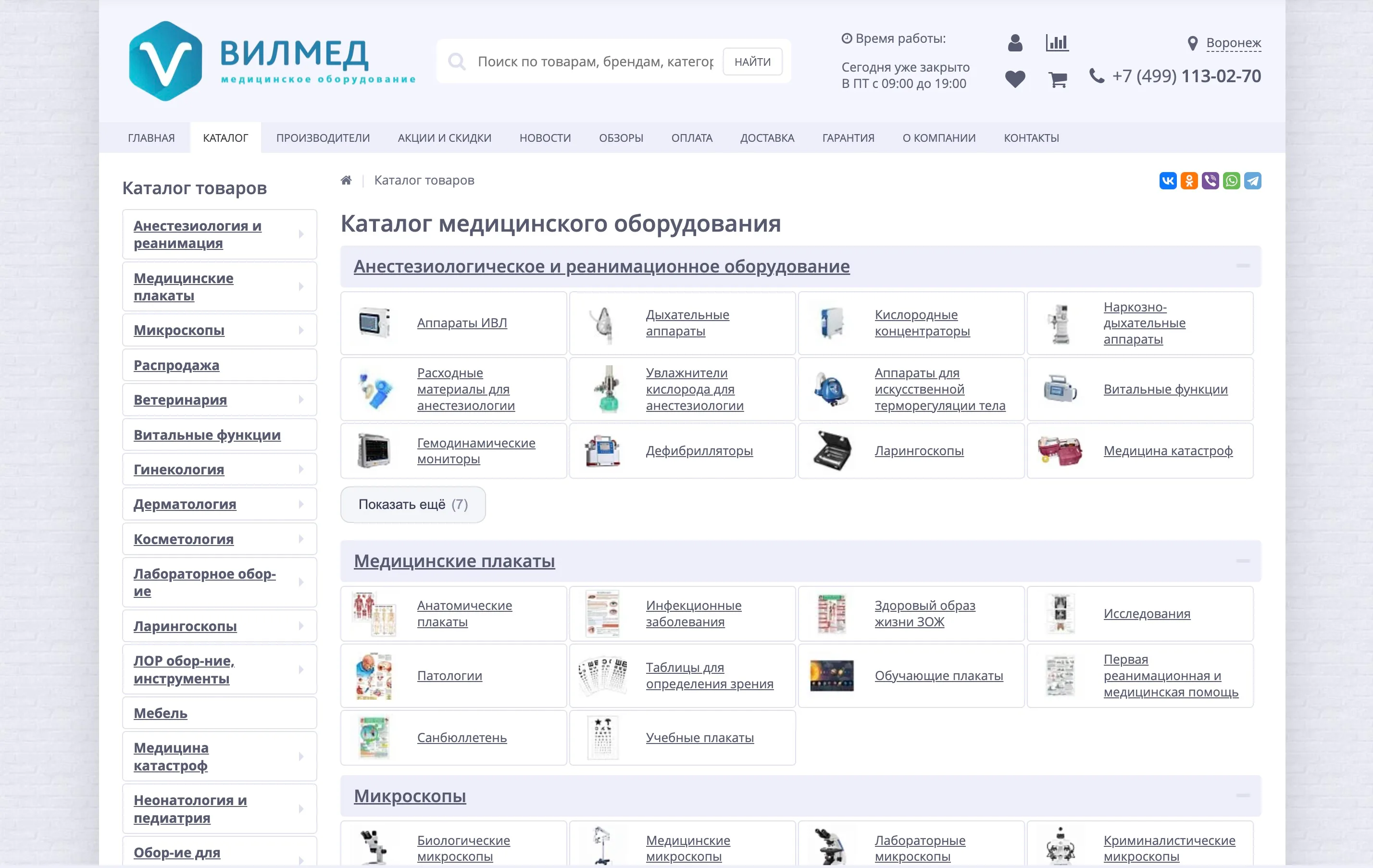
15,000+ products in catalog
VILMED
VILMED storefront improvements
Ongoing work on a large medical-equipment store on Bitrix: sticky header and smart search, catalog and product-card UX, SEO filters, ERP sync, composite/Brotli, and a shell cleanup. Live at vilmed.ru.
View case →
55,000+ SKUs in the catalog
KosmaMed (formerly MedMarket)
KosmaMed online store
We run a large medical-equipment store on Bitrix: MedMarket→KosmaMed rebrand, domain migration with 301s, speed (no RAND, composite, WebP), MoySklad/ERP/carriers. Live at kosmamed.ru.
View case →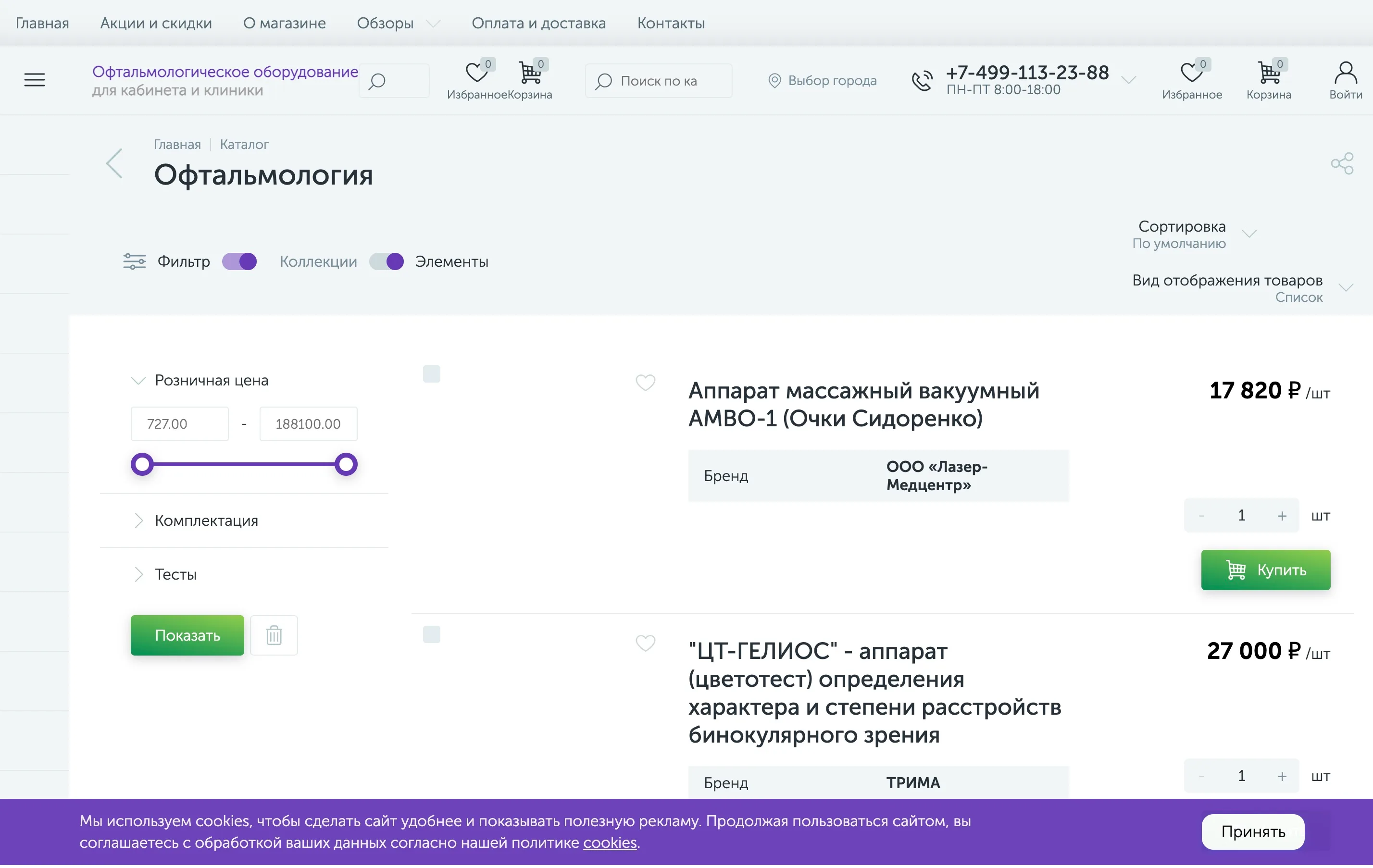
~1,900 SKUs in the catalog
Oftalmag
Oftalmag online store
We run an ophthalmology-equipment store on Bitrix (enext): Heine/KaWe/Riester catalog, “request a price”, city picker, account SEF. Live at oftalmag.ru.
View case →